Digifeel Login: How to Access Your Account

Mike Stuzzi
If you've bought a Digifeel review card or plate, you'll need to access its online platform to activate the product and set up the links your customers will see when they tap it or scan its QR code. The good thing is that you can manage your product online without paying for a Digifeel Pro subscription.
Here's how to log in, set up your product, and troubleshoot common access problems.
Read the full Digifeel review or check out my Digifeel discount code
Digifeel.io Login: Official Website
You can access the Digifeel platform here:
This is the platform Digifeel uses for product configuration and its optional paid services. You'll need an account to access it.
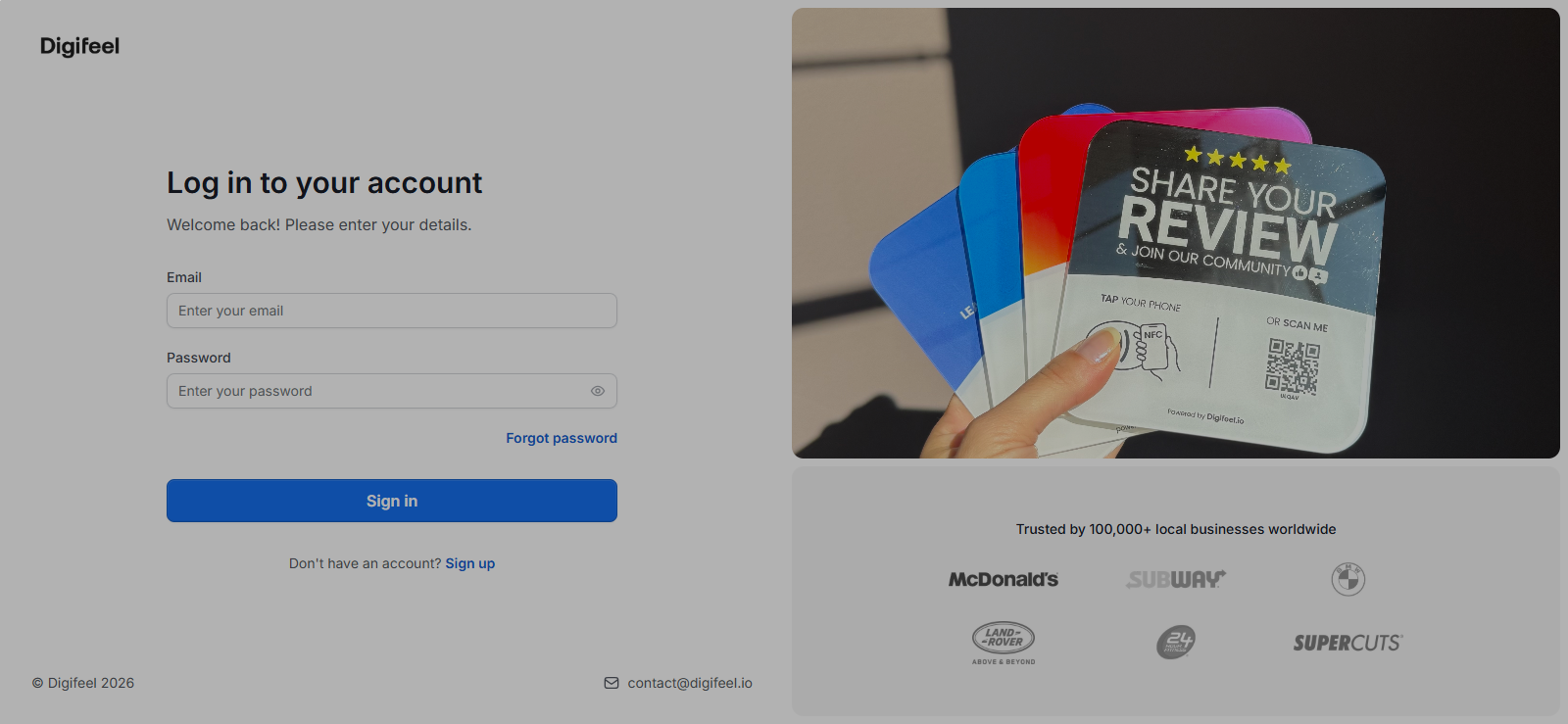
How to Log In to Digifeel
If you've already registered, follow these steps:
- Open the official Digifeel platform.
- Select the login option and enter your registered account details.
- Complete any verification steps the platform requests.
- Once you're signed in, look for your products or the option to add a product.
- Follow the instructions to configure your card or plate.
The exact options you see may depend on your account and the product you've purchased.
How to Activate a Digifeel Card or Plate
Logging in is only part of the process if you're setting up a new product for the first time.
After receiving your Digifeel card or plate, scan its QR code or tap it with a compatible smartphone. This should take you to the relevant Digifeel interface, where you can follow the activation instructions.
You may need to enter the activation code supplied with your product. Once it's configured, you can set up the destination link or landing page associated with the product.
For a multi-link product, you can add links to your Google reviews, social media profiles, website, booking page, WhatsApp, and other destinations supported by the platform.
Is Digifeel Login Free?
Yes, basic access to the Digifeel platform for configuring and managing purchased physical products is free. You don't need to subscribe to Digifeel Pro just to configure a product.
Digifeel Pro is a separate, optional subscription that provides additional tools and features. If you're only trying to activate a card or manage its basic links, check that you're not signing up for a paid plan you don't need.
Keep in mind that paid subscriptions have separate billing and cancellation terms. Digifeel's published policy says subscriptions renew automatically unless cancelled before the next billing period, and subscription fees are generally non-refundable.
Digifeel Login Not Working? Try These Fixes
If you're having trouble accessing your account, try the following:
Check your login details. Make sure you're using the email address associated with your Digifeel account. Check for spelling errors and any extra spaces.
Open the platform in a browser. If you're trying to access Digifeel through a mobile app and it isn't working, try opening the official web platform directly. This can help you determine whether the problem is specific to the app.
Try another browser or device. An outdated browser, cached data, or a temporary technical issue can sometimes interfere with sign-in. Try a private browsing window or another browser.
Check your internet connection. Switch between Wi-Fi and mobile data to see whether the connection is causing the problem.
Look for account verification instructions. If the platform asks you to verify your email or complete another security step, follow the instructions provided.
Contact Digifeel support. If none of these steps work, visit the official Digifeel contact page or email contact@digifeel.io. Explain what happens when you try to log in and include any error message you receive. Don't send your password.
Digifeel Login FAQ
Do I need an account to use Digifeel?
You'll need an account to access the Digifeel platform and configure your purchased product. Customers can use the basic product configuration features without a paid Digifeel Pro subscription.
Can I activate my Digifeel product using my phone?
Yes. Digifeel's setup instructions allow you to scan the QR code or tap the NFC product to open the relevant interface. You can then follow the instructions to activate and configure it.
Does Digifeel require a paid subscription?
Not for basic product configuration. Digifeel Pro is optional and provides additional features. Check the plan details before subscribing so you understand which features are free and which require payment.
What should I do if my Digifeel activation code doesn't work?
Double-check that you're entering the code supplied with your product and that you're following the correct setup process. If the problem continues, contact Digifeel support with your order details and a description of the error.
Where can I get help with my Digifeel account?
Use the official Digifeel contact page to contact the support team.
Final Thoughts
If you only need to activate a Digifeel card or plate, start with the official login platform and follow the product's setup instructions. Basic configuration is free, so you shouldn't need to purchase a Digifeel Pro subscription just to get your physical product working.
If you're still unable to access your account after trying the troubleshooting steps above, contact Digifeel directly for assistance.